

TNCE Tuya US WiFi or zigbee Smart Wall Switch 1/2/3/4 Gang Wire Touch Sensor LED Light Switches Smart Home Alexa Google Home


TNCE Tuya US WiFi or zigbee Smart Wall Switch 1/2/3/4 Gang Wire Touch Sensor LED Light Switches Smart Home Alexa Google Home
SPECIFICATIONS
Brand Name: TNCE
Certification: RoHS,FCC,CE,ce,FCC,ROHS
Choice: yes
EU LVD Voltage: High voltage: Above 50Vac or 75Vdc
High-concerned chemical: None
Is Smart Device: Yes
Item Type: SWITCHES
Material: Plastic
Origin: Mainland China
Switch Type: Touch On/Off Switch
The wiring method without neutral wire: If you only have the fire wire and no neutral wire, you need to connect the capacitor at both ends of the light bulb. For the specific method, please refer to the wiring picture in the iQ
Warranty: 1 Years
Wiring diagram Without Neutral line: 1 Gang connects L2, with the capacitor connected to both ends of the L2 bulb.2 Gang connects L1 and L3, with the capacitor connected to both ends of the L1 bulb.3 Gang connects L1, L2, and L3, with the capacitor connected to both ends of the L1 bulb.
bulb flashing: If bulb flashing, You need to connect capacitors at both ends of the bulb.
zigbee version tips: If you choose zigbee version switch, you need a tuya zigbee gateway to use it normal.
 Two wiring methods
With or without neutral lines, you can use our switch. The following is the wiring diagram display.
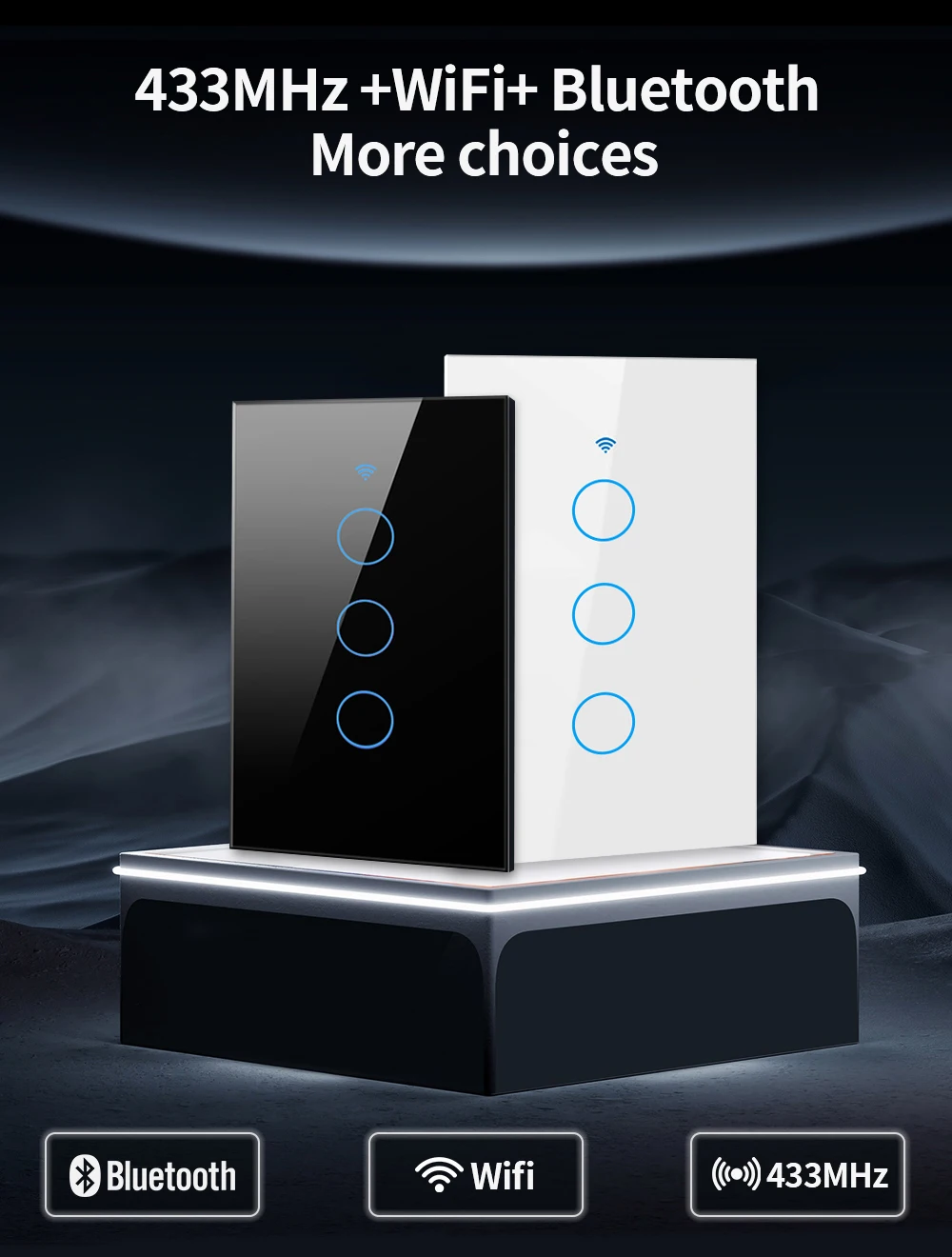
WiFi+Bluetooth +RF433 More Choices
Bluetooth can connect your phone faster.You can control the switch using a 433-enabled product or a wireless network.
APP remote control
The user can use a smartphone to remotely control the home electronics remotely anytime, anywhere as long as the phone has 2G / 3G / WIFI
network compatible with iOS and Android operating system with SmartLife and Tuya
Alexa and Google Home Control
Compatible with Alexa (Echo / Dot / Dot / Tap), Google Assistant,. Flight ticket counter with Alexa or Google Home
to turn your lights on or off with your voice, No hub required
Timing
The smart switch is automatically turned on and off at a given time through the timer function. Choose the time you want to wake up,
automatically open the light, so you can easily enter the day; choose the time you want to close the light.
Share
The control switch can be shared with family members.
Group control
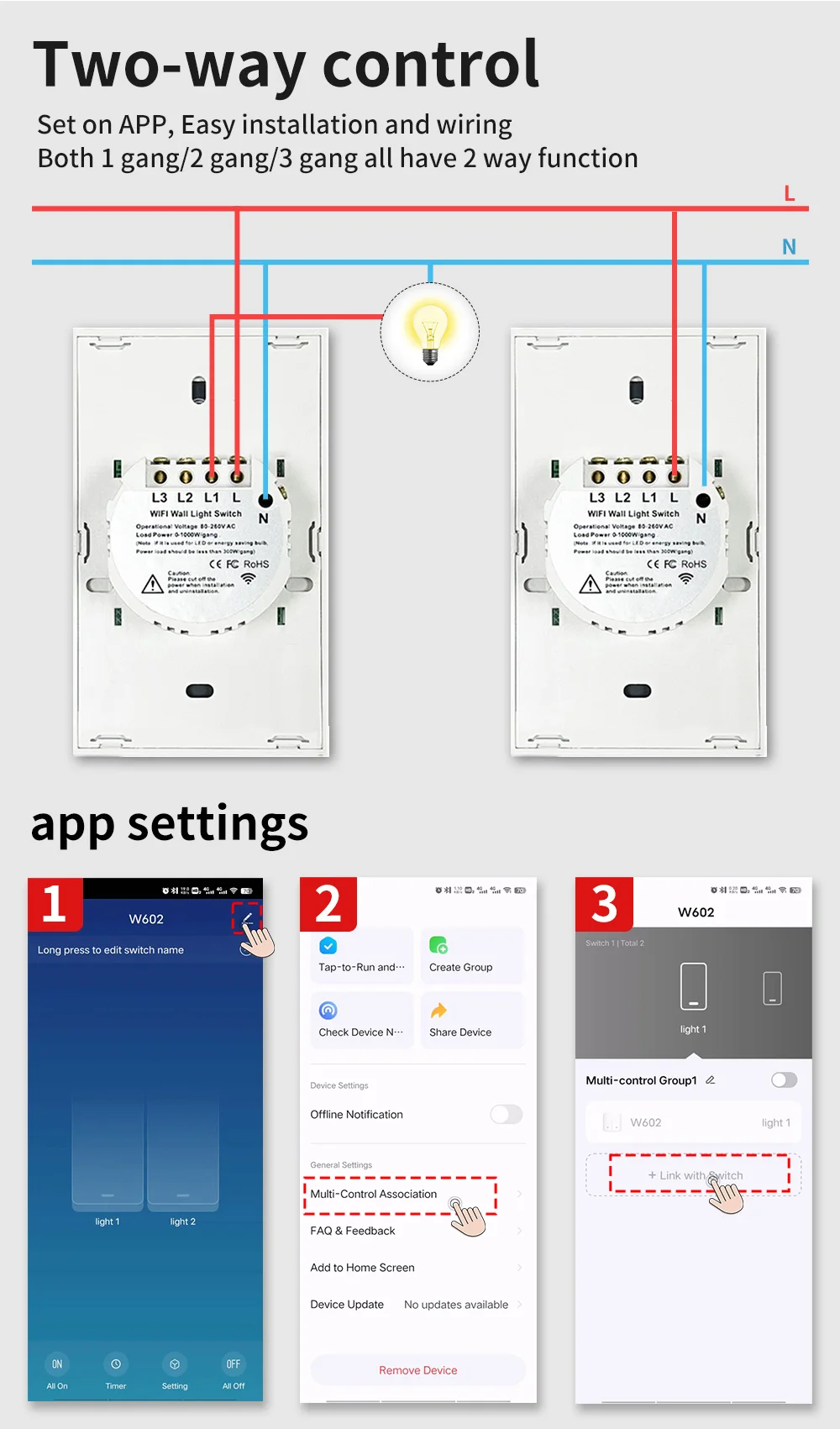
After you make simple settings in the app, you can realize multi-control association or group control.

